
Time synchronization in Larix Broadcaster

October 28, 2025
Time synchronization in Larix Broadcaster in 2025

The latest versions of Larix Broadcaster can send timecode information. This means that we can synchronize videos from multiple phones with an accuracy of 2-3 frames. Next, we will show you how easily it may be done using our SRTMiniServer, using the example of two phones.
Starting SRTMiniServer. Organizing a stream from mobile phones
Follow these steps:
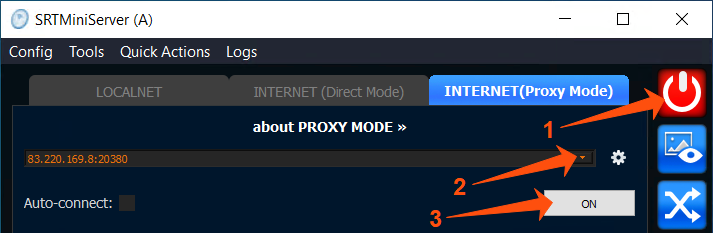
Open SRTMiniServer and connect it by clicking on the “Start” button (the button should be highlighted in red).
Next, go to the “INTERNET (ProxyMode)” tab.
Select any public IP address and click “ON”. The “ON” button should be highlighted in red, which means that the proxy server is connected.
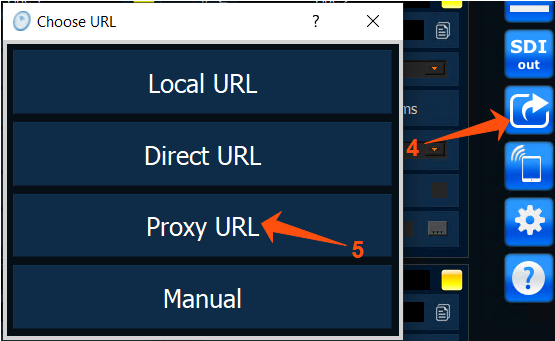
Go to “Link Generator”.
And select the “Proxy URL” option in the “Choose URL” window.
In the “Link Generator” window, select “Larix Broadcaster” from the “Select Product” drop-down list.
Click on the “QR” button.

- Open the QR code scanner on your device and scan the QR code that appears, open the link.
NOTE: Larix Broadcaster is available for iOS and Android devices.

- On the screen that opens, the system prompts you to import the settings to Larix Broadcaster.
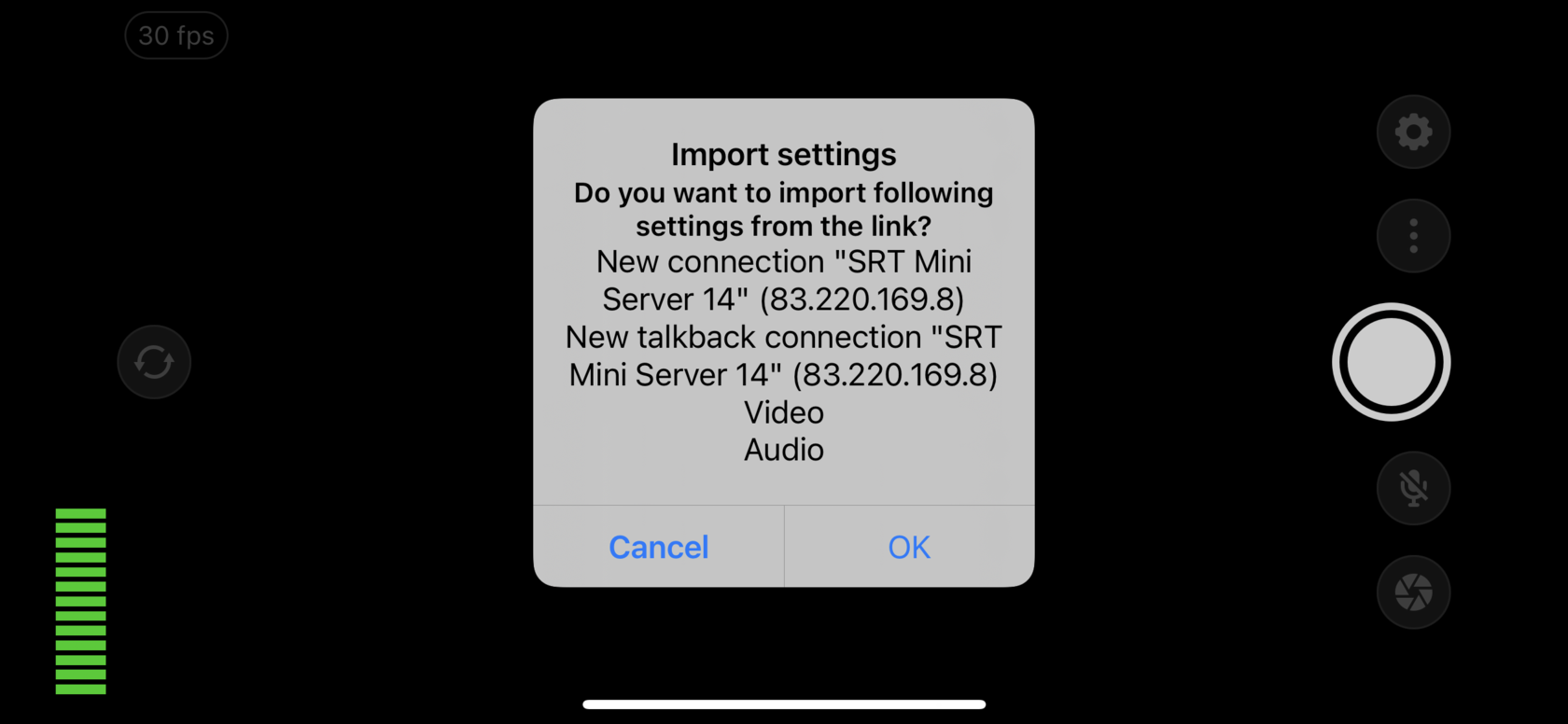
Click on the “OK” button. The Larix Broadcaster application opens and a pop-up message about successful connection is displayed on the screen.

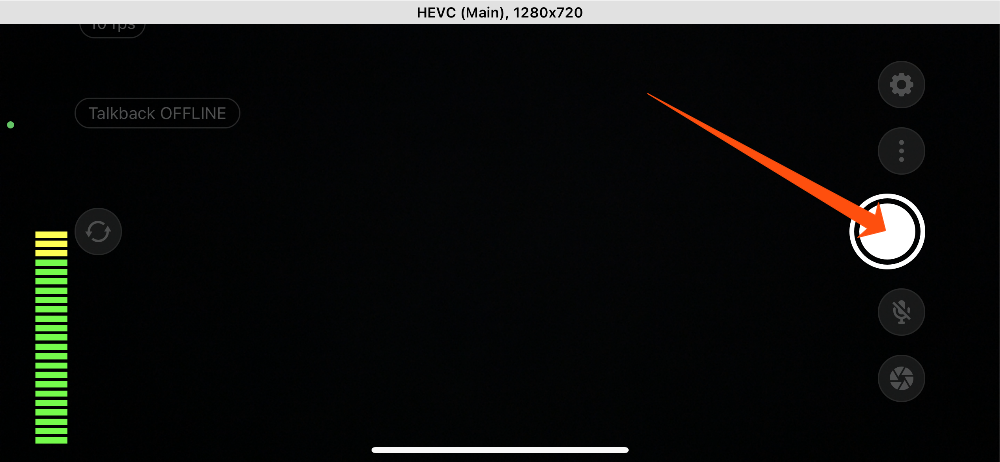
- Next, click on the “Start” button.

The stream is running. Information about the stream is displayed on the screen: the number of frames per second, the duration of the stream, the Talkback login status, the connection speed (Mbps), and the number of MB transferred.
On your computer monitor, you can see that SRTMiniServer has accepted the connection.

So, we come to our main point:
Enabling time synchronization in Larix Broadcaster
- The first thing you need to do is stop the video recording on your phone.

- Go to “Settings” Larix Broadcaster.

- Go to “Advanced”

- Find the item “Send SEI timecode” and enable it.
You just need to perform this action once, and then this parameter will be enabled automatically every time you start Larix Broadcaster.

Next, go to the computer in SRTMiniServer.
- In the columns of connected lines, find the item “TimeCode” and select “from SEI”.
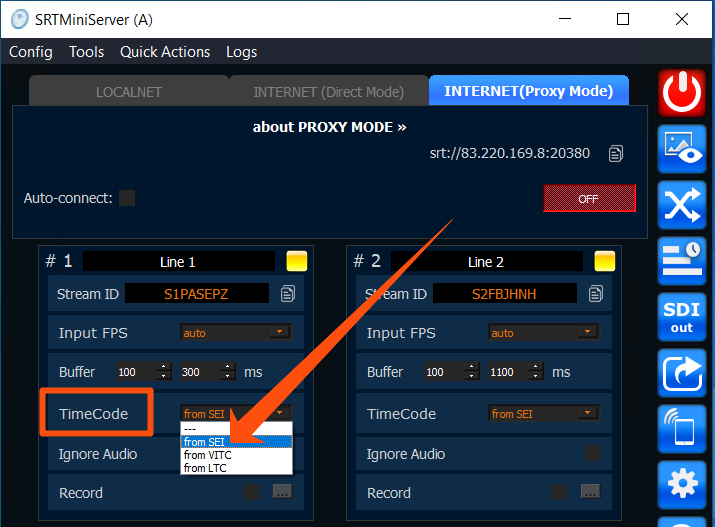
- Now turn on the broadcast on both phones.
- The last step is to connect the SRTMiniServer column Time Code Sync.

For the example, we used a countdown timer and the results are shown below: “without syncing”and” with syncing"

No synchronization (there are discrepancies in the timer)

Result of applying synchronization
Conclusion:
Using a few simple manipulations, you can easily sync multiple phones using Larix Broadcaster and our SRTMiniServer.