
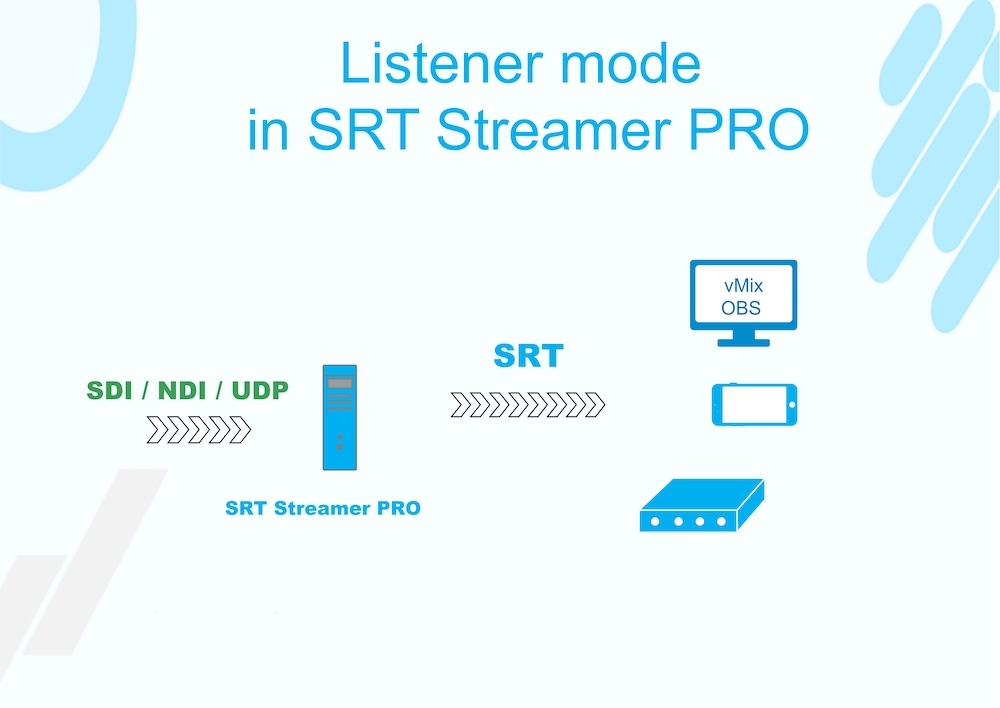
In the new SRTStreamerPRO 1.2.3 BETA release, we are introducing the long-awaited Listener mode. This feature expands the capabilities of our encoder, offering a more flexible approach to setting up SRT streaming.
(guide for setup Listener mode see here)
SRT Listener or SRT Caller: What's the Difference?
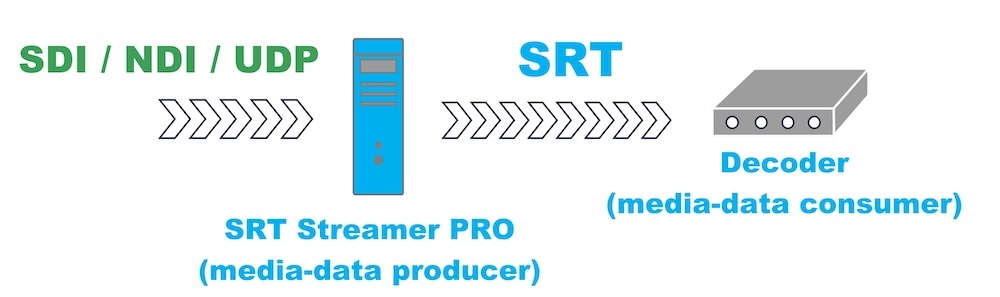
To understand the benefits of the new mode, it's important to grasp the fundamentals. In the context of SRTStreamerPRO, the key principle lies in its core purpose: it is an SRT encoder. Its task is to take a video stream via SDI, NDI, or UDP and convert it into SRT. Thus, SRTStreamerPRO is always the source (producer) of the data.
To understand the benefits of the new mode, it's important to grasp the fundamentals. In the context of SRTStreamerPRO, the key principle lies in its core purpose: it is an SRT encoder. Its task is to take a video stream via SDI, NDI, or UDP and convert it into SRT. Thus, SRTStreamerPRO is always the source (producer) of the data.
Based on this, the direction of the stream is always the same: from SRTStreamerPRO to the recipient (consumer). Regardless of which mode the device operates in—Caller or Listener—the video is always transmitted from us.
- Caller Mode ("Initiator"): SRTStreamerPRO actively "calls" the specified address and port of the recipient to establish a connection. This is the classic and most direct method.
- Listener Mode ("Waiting"): Now SRTStreamerPRO can act as a "server": it opens a port and waits for the recipient to connect to it. This is especially useful when the recipient is behind complex network infrastructure (e.g., behind a NAT), making it easier for them to initiate the connection.
The main takeaway: The mode (Caller or Listener) only determines the method of establishing a connection but does not change the essence of SRTStreamerPRO as the source of the video stream.
Caller Mode
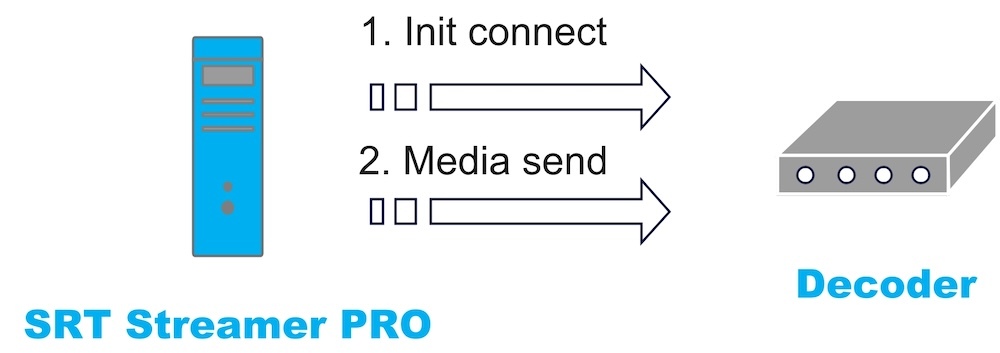
When SRTStreamerPRO operates in Caller mode, it takes the initiative to establish the connection, as illustrated in the diagram below. In this scenario, SRTStreamerPRO essentially "calls" the consumer. If the consumer accepts the call, SRTStreamerPRO begins transmitting the data stream.
Listener Mode
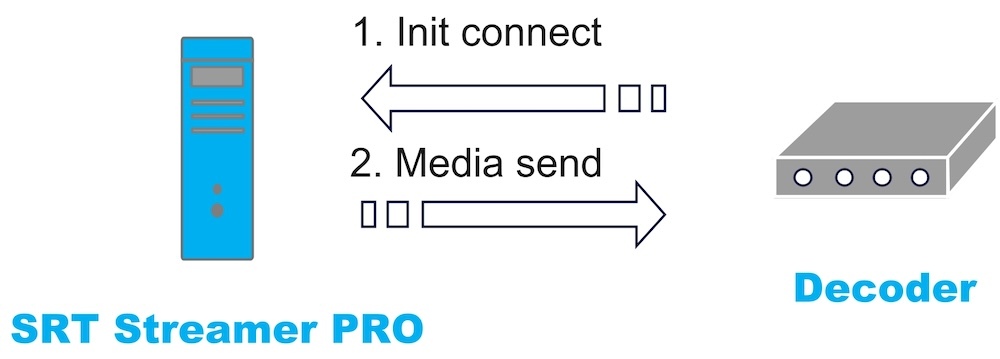
When SRTStreamerPRO operates in Listener mode, the initiative for the connection comes from the consumer. In this setup, the consumer actively "calls" SRTStreamerPRO.
SRTStreamerPRO then begins transmitting the video data stream, provided it accepts the incoming connection request.
SRTStreamerPRO then begins transmitting the video data stream, provided it accepts the incoming connection request.
A Key Consideration for Listener Mode
The Listener is the one who "receives the call," meaning it accepts incoming SRT connections. For this to work, a public IP address and proper port forwarding configuration are essential.
Without a public IP, the connection will be blocked by your Internet provider (ISP) at the network level. Without port-forwarding, your router will not know which specific computer in your studio should handle the incoming SRT connection.
Without a public IP, the connection will be blocked by your Internet provider (ISP) at the network level. Without port-forwarding, your router will not know which specific computer in your studio should handle the incoming SRT connection.
Use Cases for Listener Mode
Here are some common scenarios where the Listener mode in SRTStreamerPRO proves particularly useful. This approach is often key to overcoming network limitations and simplifying connection workflows in distributed production environments.
Sharing an SDI Source
This scenario addresses the need to distribute a live SDI signal from your TV studio to external partners.
Instead of configuring multiple outgoing streams to each partner, you can simply launch a stream in SRTStreamerPRO in Listener mode. This creates a stable, centralized access point for the signal. You then provide your partners with the public IP address and port where they can connect to pull the SRT stream.
This method offers significant flexibility for the recipients: they can easily connect using software players like VLC, or integrate the stream directly into their broadcast chain using dedicated hardware SRT decoders.
Instead of configuring multiple outgoing streams to each partner, you can simply launch a stream in SRTStreamerPRO in Listener mode. This creates a stable, centralized access point for the signal. You then provide your partners with the public IP address and port where they can connect to pull the SRT stream.
This method offers significant flexibility for the recipients: they can easily connect using software players like VLC, or integrate the stream directly into their broadcast chain using dedicated hardware SRT decoders.
Regional Stream Distribution
This scenario demonstrates how to efficiently distribute tailored streams from a single source to different international partners or regions.
Imagine your incoming SDI signal contains 16 audio channels (stereo pairs for 8 different languages). With SRTStreamerPRO, you can easily de-embed these channels and create 8 separate SRT streams, each carrying a unique language or a different video/audio combination tailored for a specific region. By running the application in Listener mode, you can assign a dedicated port for each of these regional streams.
This setup provides partners from different countries with direct access to their specific feed. Furthermore, you can leverage optional SRT parameters like encryption and stream id to securely manage regional access rights and protect the content of each individual stream.
Imagine your incoming SDI signal contains 16 audio channels (stereo pairs for 8 different languages). With SRTStreamerPRO, you can easily de-embed these channels and create 8 separate SRT streams, each carrying a unique language or a different video/audio combination tailored for a specific region. By running the application in Listener mode, you can assign a dedicated port for each of these regional streams.
This setup provides partners from different countries with direct access to their specific feed. Furthermore, you can leverage optional SRT parameters like encryption and stream id to securely manage regional access rights and protect the content of each individual stream.