
You are live broadcasting — a sports event, a news channel, a remote report — and you need to overlay graphics before sending the signal to air. Replace the broadcaster's logo with your own, localize a football match score, add your own captions. Typically, this requires a full-fledged graphics server inserted into the video path. With SRT Mini Server, this task is simpler — using the NDI Overlay feature.
How It Works
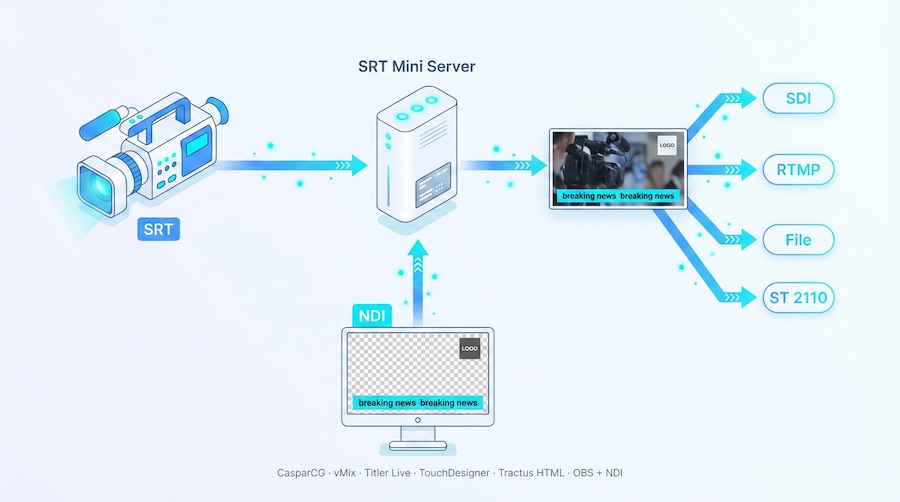
SRT Mini Server accepts an incoming stream (RTMP, SRT, RIST — any protocol) and, before outputting to SDI or SMPTE ST 2110, can overlay an external NDI source as a graphic layer. The source can be any application capable of outputting NDI with an alpha channel.
The principle is simple: the main signal passes through unchanged, while a graphics layer is overlaid on top in real time. You gain full control over what appears on screen, while the original stream remains untouched — you can always output it to a separate monitor or record it in its original form.
Typical Use Cases
Signal Rebranding.
You receive an international feed and need to replace the original logo with your channel's logo. NDI Overlay covers the required area of the frame — viewers see only your graphics.
Sports Graphics Localization.
Match score, timer, statistics — all of this can be replaced with a localized version prepared in your graphics system and delivered via NDI.
Adding Custom Elements.
Ticker, name plates, promotional overlays — any graphic element your studio generates over NDI is placed on top of the incoming signal before it goes to SDI.
What to Use for NDI Overlay
You need a graphics source that outputs an NDI stream with an alpha channel. Almost any tool capable of NDI output will work.
Free:
CasparCG, OBS Studio (with NDI plugin), TouchDesigner (non-commercial)
Paid:
vMix, Singular.live, Captivate (Titler Live), TouchDesigner, Adobe Premiere
BONUS: HTML as NDI Overlay
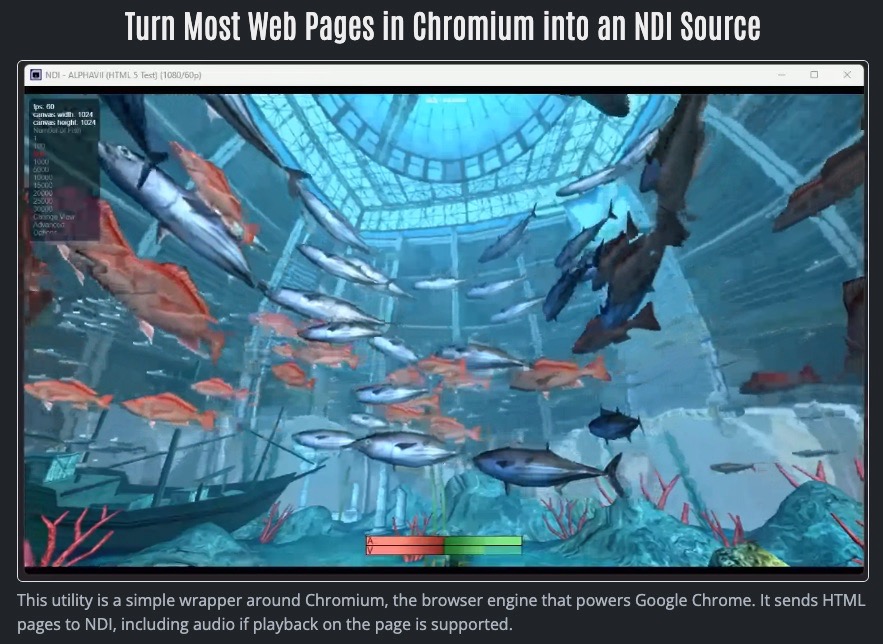
A special mention goes to the web-based approach. The Tractus HTML to NDI project uses the Chromium engine and turns any HTML page into a full NDI stream with an alpha channel.
This means creating graphics for overlay becomes web page layout: dynamic match score, animated lower thirds, data from external APIs — everything a browser can do becomes broadcast-ready graphics.
Important Notes
- The overlay is applied before SDI / ST 2110 output — all baseband signal recipients see the final picture.
- The original signal is not modified — you can always view the original on a separate output or in a multiview.
- Overlay latency is minimal — graphics are synchronized with the main stream within one or two frames.
- No separate mixer or server is needed — everything happens inside SRT Mini Server.
Applicable not only to SDI out
Although most of our clients use NDI Overlay for SDI output, this feature works equally well for RTMP output — for example, streaming to YouTube, Twitch, and other platforms.
GaraninApps Team — srtminiserver.com